 Justagwas
Prepare the recording
Decode the source, resample it to 44,100 Hz, and divide it into overlapping sections so boundary notes retain surrounding context.
A2M is a Windows desktop application designed to achieve high transcription accuracy when converting piano recordings into editable MIDI files. The A2M Piano Engine estimates notes, timing, velocity, sustain, and soft pedal events locally. Processing time depends on recording duration and available hardware, but transcription typically completes promptly on suitable systems.
Real UI captures from A2M.
A2M analyzes the acoustic signal itself. It prepares overlapping views of the recording, estimates coherent note and pedal intervals, refines their timing and velocity, and reconstructs the result on one MIDI timeline.
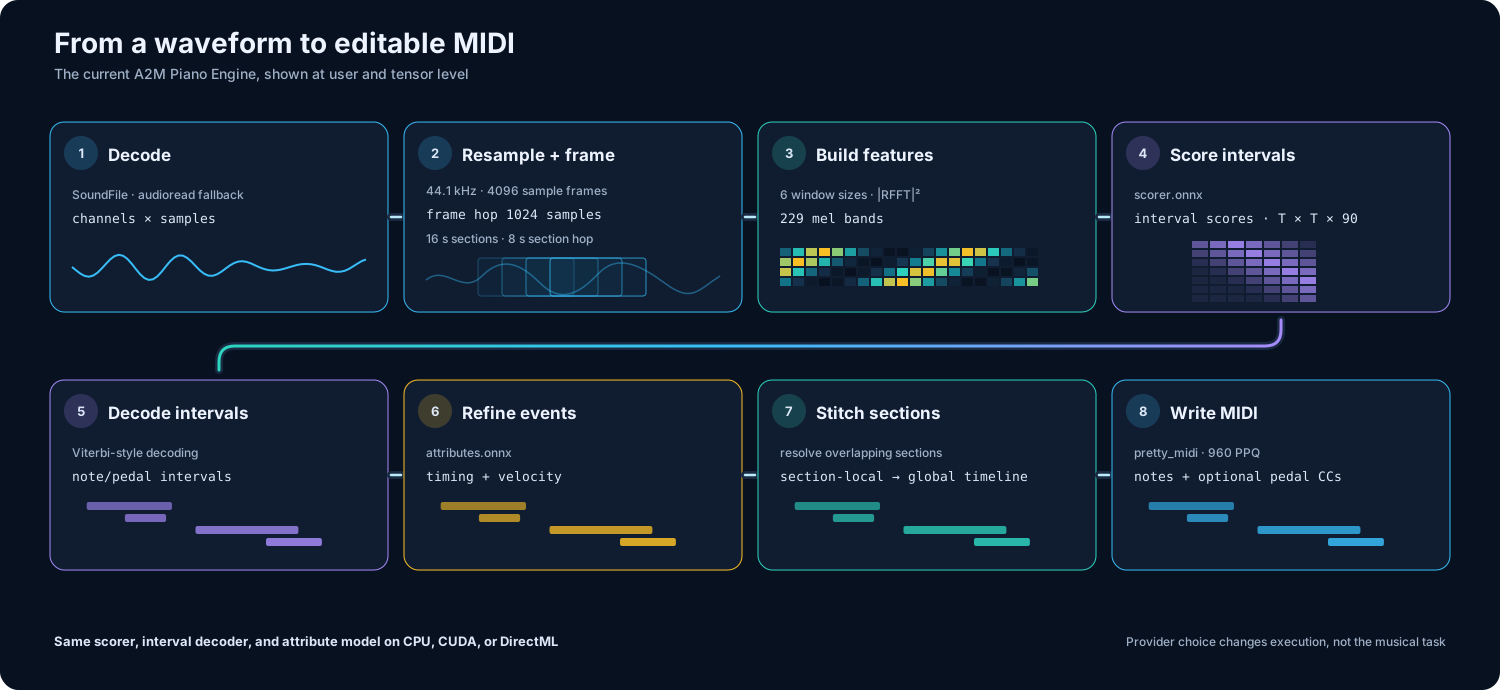
Decode the source, resample it to 44,100 Hz, and divide it into overlapping sections so boundary notes retain surrounding context.
Transform centered audio frames into six complementary spectral views across 229 mel bands for model inference.
Score possible note and pedal intervals, select a coherent path, and refine velocity and subframe timing.
Join section results on the original timeline, resolve overlaps, and write notes and optional pedal events at 960 PPQ.
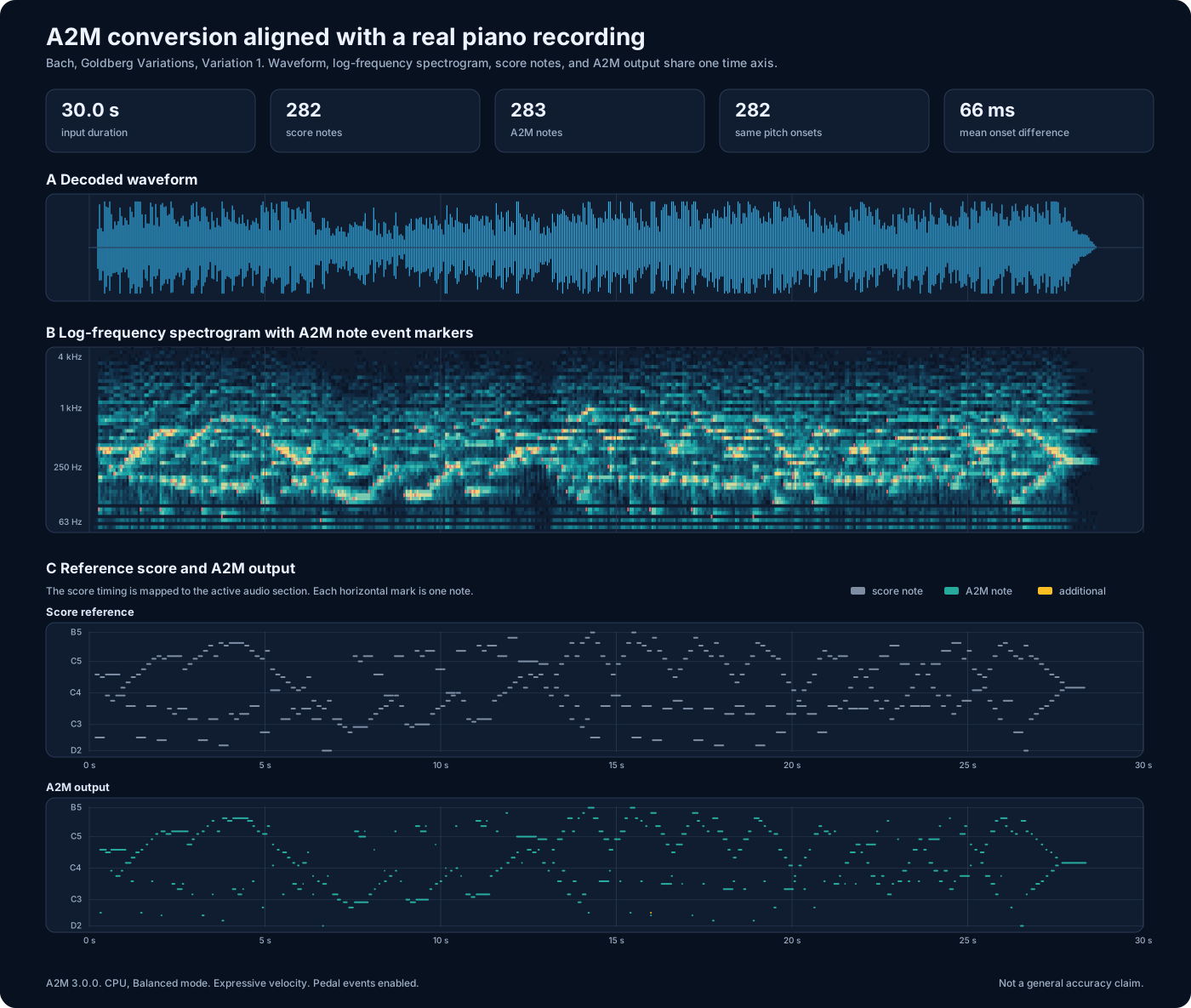
This 30 second solo piano excerpt pairs the source audio with a mapped score reference and the MIDI produced by A2M 3.0.0. The shared timeline makes pitch placement and onset timing directly inspectable.
MP3, 44.1 kHz stereo, 30 seconds
Obtain A2M only from the official download links on this page. Windows SmartScreen may display a "Protected your PC" warning for a new or unsigned release.
The latest installer was scanned on VirusTotal with: 0/70 detections. View VirusTotal scan.
Manual installer and release details are available on the download page.
A2M is open source and distributed through GitHub and SourceForge. Source recordings remain on the local computer. Network access is used for requested model, runtime, or application downloads and for update checks when enabled.

Type to filter, use ↑ and ↓ to move, then press Enter.
 MediaCrateDesktop downloader for video and audio with format, quality, and advanced source handling controls. A2M (Audio To MIDI)Local piano audio-to-MIDI transcription with configurable CPU use and optional CUDA or DirectML acceleration.
  OpenPianoDesktop piano you can play with your PC keyboard, mouse, or MIDI device.
  GitHub Downloads ActionTrack release downloads with a GitHub Action that writes badge-ready JSON and optional SVG charts.